
- A+
所属分类:系统教程
MAC地址也叫物理地址、硬件地址,MAC地址用于在网络中唯一标示一个网卡,一台设备若有一或多个网卡,则每个网卡都需要并会有一个唯一的MAC地址。今天小编将为大家带来Win11电脑mac地址查询方法,有需要的朋友们一起来看看吧。
Win11电脑mac地址查询方法:
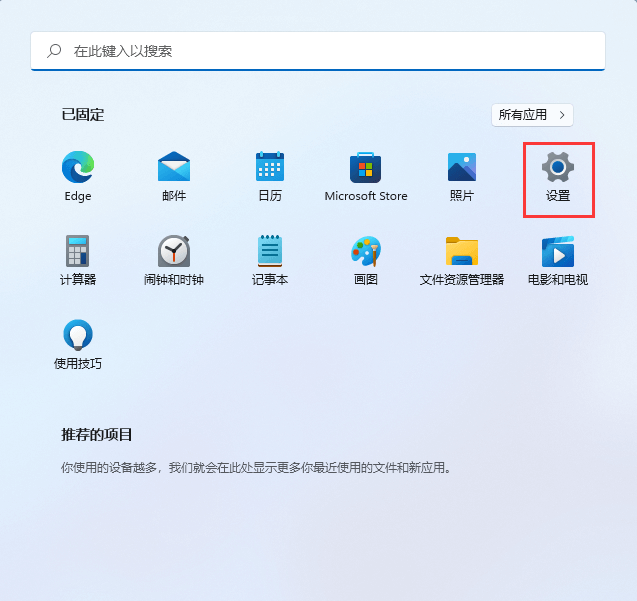
1、首先,按键盘上的 Win 键,或点击任务栏上的开始图标;

2、然后点击所有应用下的设置(Win+i);
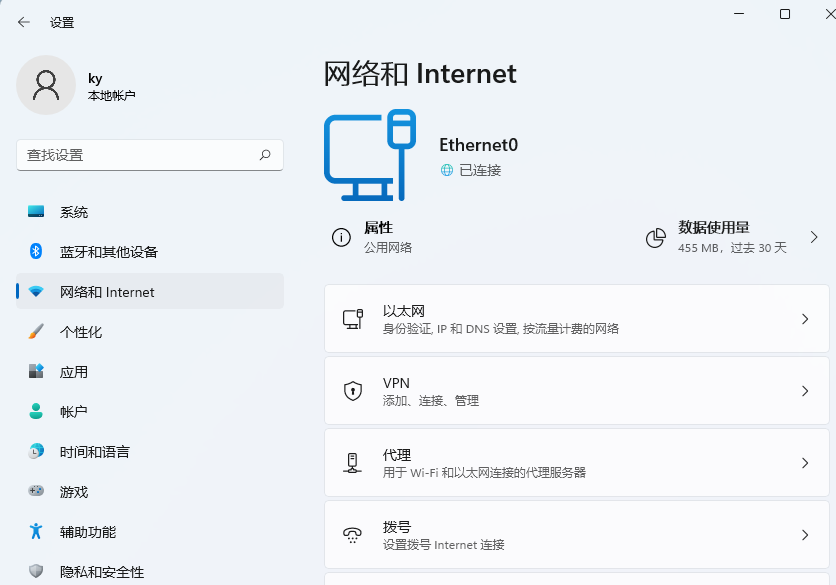
3、Windows 设置窗口,左侧边栏,点击网络和 Internet;
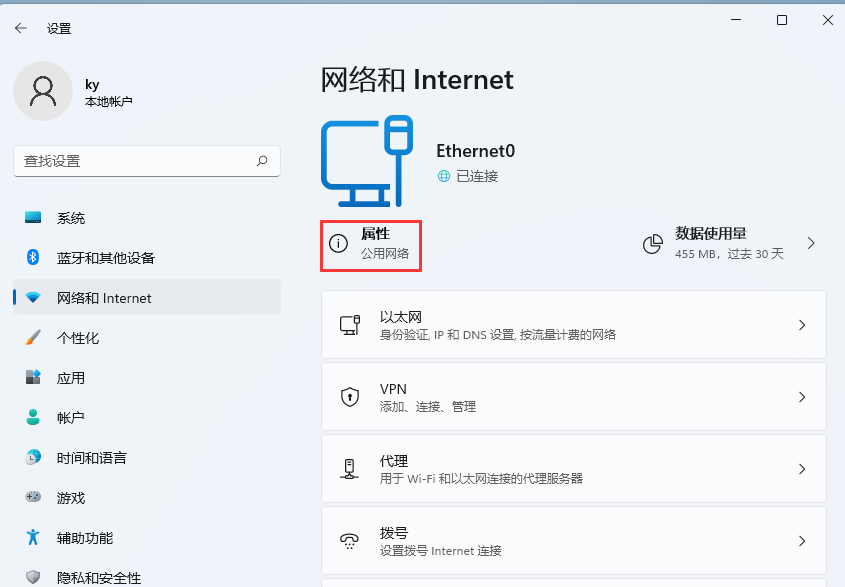
4、网络和 Internet 下,点击属性(公用网络);
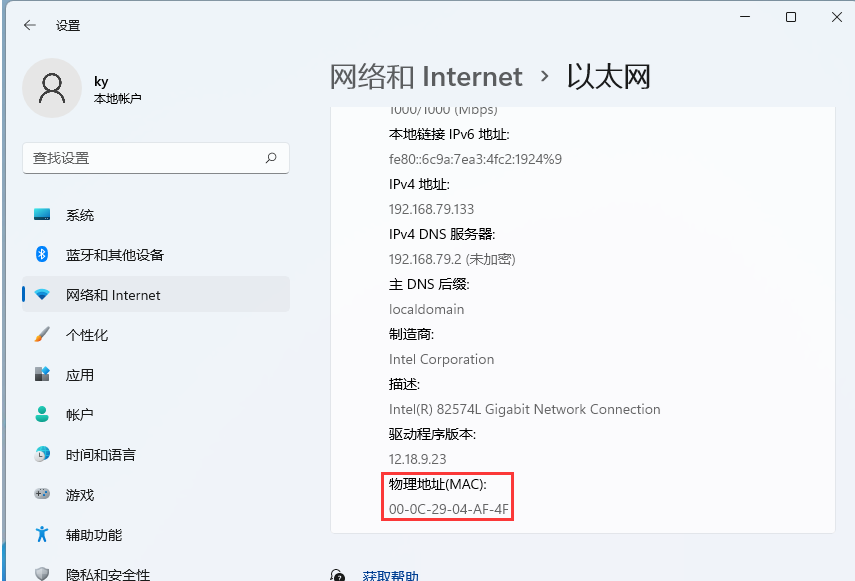
5、当前路径为:网络和 Internet >以太网,往下就可以查看到物理地址(MAC)了;
希望本文对遇到此故障的朋友有所帮助,如有需要可以在下方留言,进行互动,或者留下您的联系方式,方便沟通交流。欢迎大家分享经典维修案例,软件使用教程技巧等,投稿邮箱:smailmeng2018@163.com.斯维智能科技@恩腾技术圈 WWW.RVIBO.COM.
- 扫一扫关注抖音
-

- 扫一扫关注我们
-

Tips:由于近期添加小编微信,进行咨询的朋友越来越多,为了方便日后的管理与沟通,烦请朋友们在扫码添加微信或QQ时,请按以下格式进行备注:姓名+学校名称,否则小编有权拒绝通过,感谢理解!

![[系统教程]Win11语音输入无法使用解决方法](https://www.rvibo.com/wp-content/themes/begin/img/loading.png)
